
Arduino Mega 2560 REV3
The genuine Mega — 54 I/O pins and ample memory for a multi-joint arm and its sensors.
Best for: Multi-joint arms with sensors
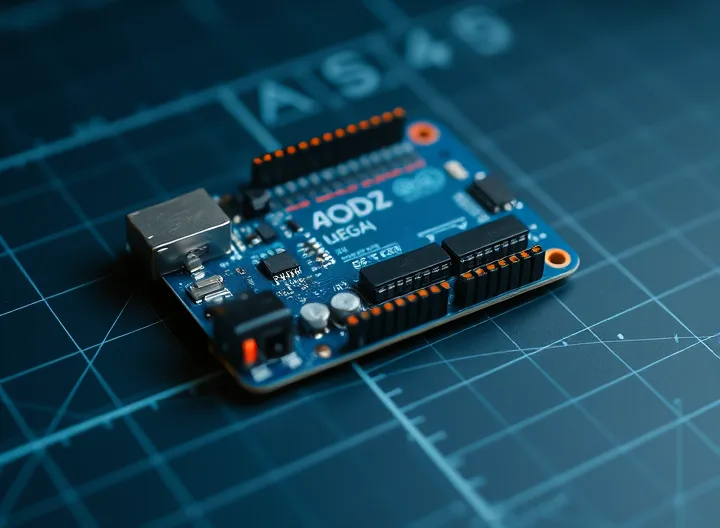
The controller board runs your motion code, reads sensors and talks to the servo driver. An Arduino Mega is a popular pick for arms because its extra I/O and memory comfortably handle several joints plus a gripper, while Uno-class and ESP32 boards suit smaller or wireless builds. Genuine and quality-compatible boards both work with the Arduino IDE.
As an Amazon Associate we earn from qualifying purchases. Prices and availability are accurate as shown on Amazon at the time of purchase.
The genuine Mega — 54 I/O pins and ample memory for a multi-joint arm and its sensors.
Best for: Multi-joint arms with sensors

Budget Mega-compatible board with USB cable — same pinout, lower cost.
Best for: Budget / classroom builds

Dual-core ESP32 with built-in Wi-Fi + Bluetooth — control your arm wirelessly, no extra radio.
Best for: Wireless / web-controlled arms

The UNO-format board most Arduino robotic arm tutorials assume — works in the Arduino IDE as-is.
Best for: First Arduino arm & CNC-shield stepper builds

The brain for camera-guided, Python and ROS robotic arms — a full Linux computer on one board.
Best for: Vision, Python & ROS-controlled arms

A Wi-Fi camera board small enough to mount on the arm — with the USB-C programmer base included.
Best for: Lightweight Wi-Fi camera on the arm
Build a 4-DOF Arduino robotic arm with hobby servos. Full parts list, wiring diagram, power tips and copy-paste Arduino code to control it with potentiometers or serial commands.
Code & electronicsCopy-paste Arduino robotic arm code: Servo library setup, sweep tests, potentiometer and serial control, record/playback, smooth motion, and PCA9685.
Builds by platformBuild a Raspberry Pi robotic arm — when to choose a Pi over Arduino, controlling servos with a PCA9685, adding camera vision, and driving the arm from a web browser with Python.